
The guide to a healthy home workplace 2025
Time to read 5 min
Time to read 5 min
Table of contents
More and more people are working (partly) from home. It's therefore essential to work as ergonomically as you would in the office. This ultimate guide explains everything you need to know about setting up an ergonomic home workspace according to official Dutch standards. Discover which ergonomic aids you need and prevent problems like neck and back pain, eye strain, and RSI.
Working from home sounds comfortable, but without a good workstation, physical complaints quickly arise. Common problems include back and neck pain, wrist strain, eye strain, reduced concentration, and repetitive strain injuries (RSI). An ergonomic home workstation reduces the risk of health problems and increases productivity. .
A good, ergonomic home workspace meets at least these basic rules:
1. Ergonomic office chair
We don't sell ergonomic office chairs ourselves. Fortunately, there are several websites where you can find NEN- and NPR-certified office chairs. Click the link and check whether the office chair meets one of these standards – see the options here.
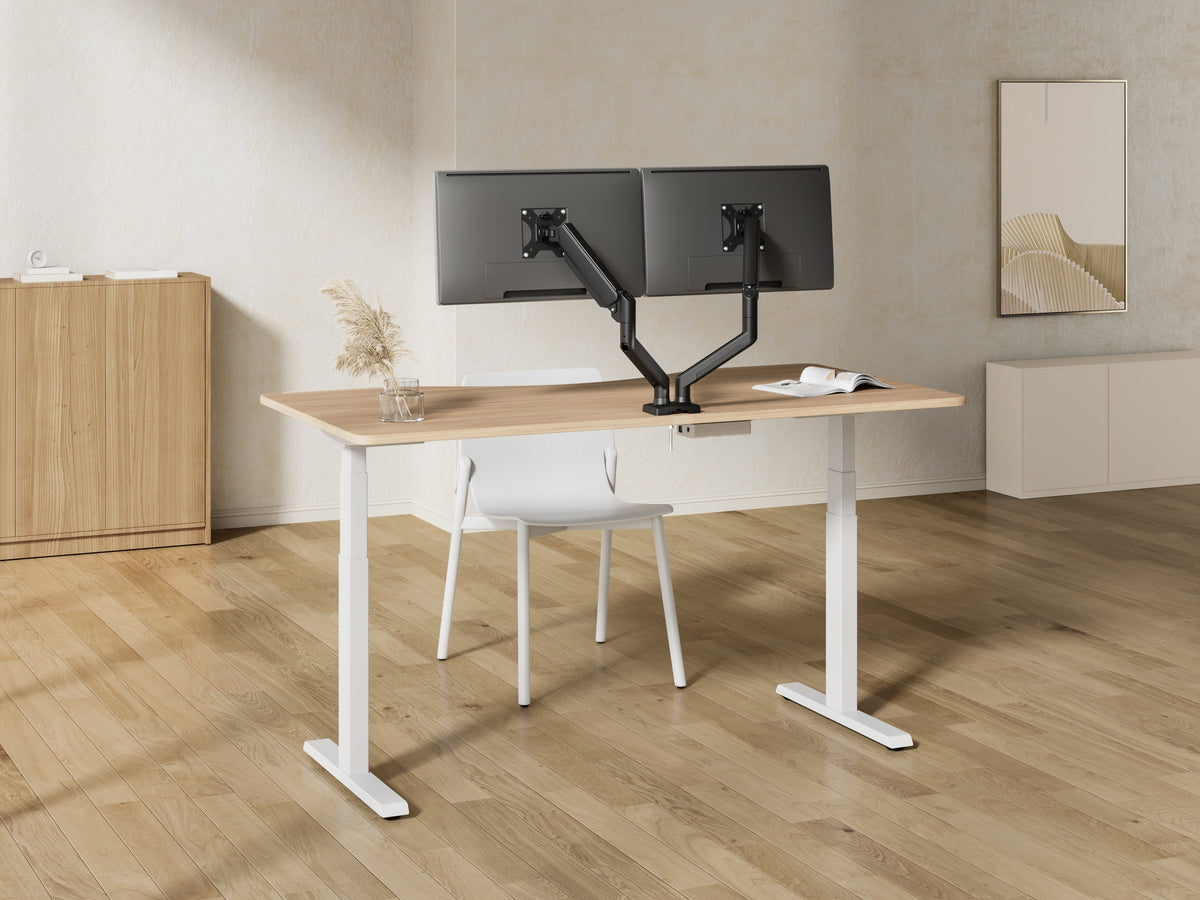
2. Sit-stand desk
View all Douxe sit-stand desks .
3. Monitor arm or laptop stand
View all monitor arms or laptop stands from Douxe.
4. External keyboard and mouse
We have some good options from Logitech, these are mice that we recommend using because of the ergonomics, check out the options here - Logitech Lift and Logitech MX Vertical
5. Good lighting
Check out this link for desk lamps; they fit well on a monitor or at a sit-stand desk.
According to the Working Conditions Decree and the Arbowet (Arbo Act), a home workplace must be ergonomically sound. Important standards are :
Employers are obliged to provide an ergonomic workplace when you work from home on a regular basis, and this can be inspected by the Dutch Labour Inspectorate .
A good office chair not only provides comfort but also prevents problems like back pain and neck strain. That's why it's important to adjust your office chair correctly. Below are some practical tips for optimally adjusting your chair for an ergonomic working posture:
Seat height: Adjust the height so your feet are flat on the floor and your knees form an angle of about 90 degrees. This promotes good circulation and prevents fatigue in your legs.
Backrest: Make sure the backrest supports your lower back properly. The curve of the backrest should sit perfectly in the hollow of your lower back, following your natural body curves.
Armrests: Adjust the armrests so your shoulders stay relaxed and your arms can rest comfortably without being hunched over. They should be slightly higher than your desk to prevent tension in your neck and shoulders.
Seat depth: Some office chairs allow you to adjust the seat depth. This helps determine the correct distance between the backrest and your knees, ensuring proper back support.
Recline angle: Choose an angle that allows you to sit comfortably upright, but also lean back. Some chairs offer a recline function that allows you to alternate between sitting upright and leaning slightly back, which relieves back strain.
These settings help you create a comfortable balance between support and comfort, allowing you to work more productively and healthily. Try adjusting the settings again after a few hours of use to see what works best for you.
These tips will complete your choice of an ergonomic office chair and help you take full advantage of its benefits.
An ergonomic office chair should be height-adjustable, with adjustable armrests and adequate lumbar support. Your feet should be flat on the floor, your knees at a 90-degree angle, and your forearms relaxed on the desk.
A sit-stand desk encourages a shift between sitting and standing. This helps prevent complaints like back pain and increases productivity. The desk should preferably meet NPR 1813 standards (65-130 cm adjustable).
Sit upright with your back against the backrest, your feet flat on the floor, the screen at eye level, and your wrists relaxed. Change your posture regularly and take short, active breaks.
Don't have ergonomic furniture? Use a table with a thin top and a chair at the right height, along with a footrest and laptop stand. Make sure your shoulders are relaxed and your arms can rest on the table.
Take at least a two-minute break every 30 minutes, move regularly, alternate between sitting and standing during the day, and ensure good air quality and temperature in your workplace.
 Sit-stand desks: everything you need to know for an ergonomic workplace
 TV Brackets: Stylish Solutions for Every Room
 Why a Monitor Arm is Essential for Ergonomic Working


